


Free shipping


Almost sold out!
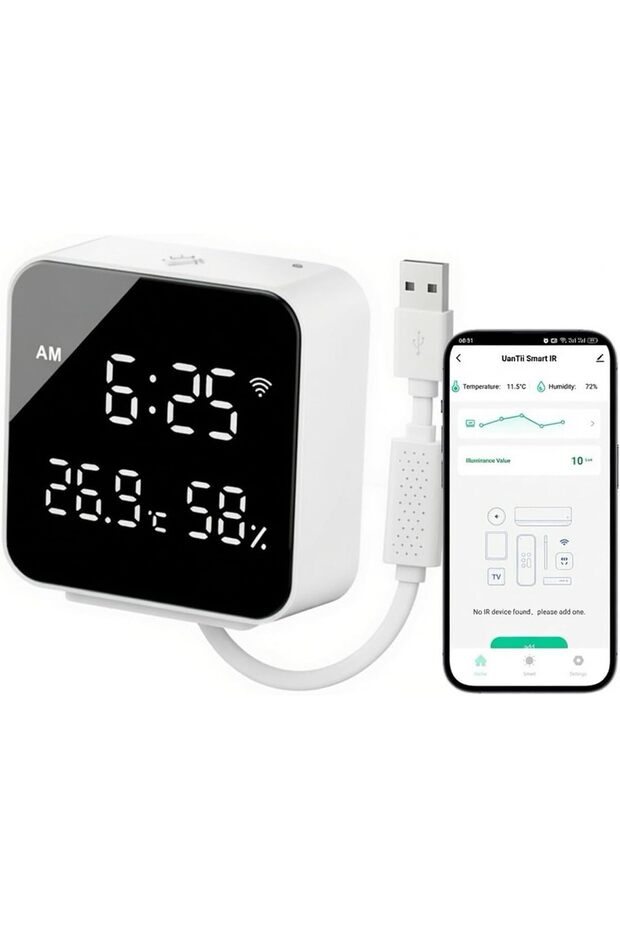
Generic 5-in-1 Smart IR Remote with Temperature Humidity Illuminance Sensor & Backlight Tuya WiFi Remote Con
No reviews yet.
-20%
286.78
SAR
358.47
(incl. VAT)
Free shipping
Delivery address

Select your address, find out the delivery date!
International delivery
Trendyol's commitments
Easy and free return in 15 days.
Payment methods



Highlighted features:
Generic 5-in-1 Smart IR Remote with Temperature Humidity Illuminance Sensor & Backlight Tuya WiFi Remote Con features
Bluetooth
Available
Control via App
Available
Color
White
Available campaigns

Applied at checkout
Yuhongmaoyi
8.3
Seller information
Generic 5-in-1 Smart IR Remote with Temperature Humidity Illuminance Sensor & Backlight Tuya WiFi Remote Con reviews
No reviews yet.
Product details
Product description
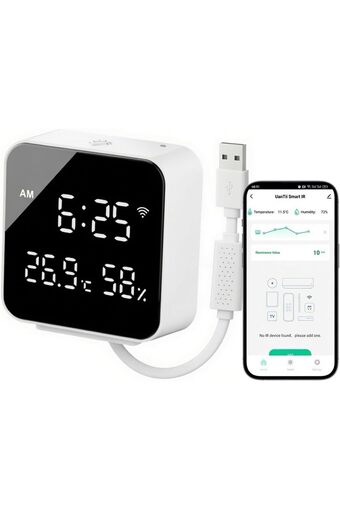
Product description Product Specifications (Technical Details) - **Product Name**: 5-in-1 Smart IR Hub with Illuminance Sensor + Backlight - **Dimensions**: 70 × 72 × 27 mm - **Material**: ABS - **Power Supply**: USB Input DC 5V / 1A - **Wireless Protocol**: 2.4 GHz WiFi + Bluetooth (BLE) - **Infrared Frequency**: 38 kHz - **Infrared Coverage Distance**: ≤ 12 m - **Temperature Measurement Range**: 0°C – 60°C - **Temperature Accuracy**: ±1°C - **Humidity Measurement Range**: 0% – 99% RH - **Humidity Accuracy**: ±5% RH - **Illuminance Measurement Range**: 0 – 1000 Lux - **Display**: LED digital display with backlight (touch-activated) - **Time Format**: 12-hour / 24-hour switchable - **Temperature Unit**: °C / °F switchable - **Mounting Options**: Wall-mount with hook or flat placement - **App Support**: Tuya Smart / Smart Life - **Voice Control**: Works with Alexa &
Google Assistant How to connect to the App: Note: Before connect to the app, make sure that your mobile phone is connected to the 2.4GHZ WIFI network and opened the bluetooth.
1
Download the APP “Smart Life"
or "
Tuya Smart”, register and login.
2
Power one the device, if the indicator light doesn't flash, Press and hold the Reset button on the back of the device for about 5 seconds until the indicator light flashes rapidly (pairing mode) 3. Open the APP, click "
+"
on the upper right corner of the page, the APP will automatically scan and discover the device, click "
Add"
4.Then add IR device like AC/TV.
,etc
How to Add IR Devices (Air Conditioner, TV, Fan, etc.
) in the App: Open the Smart Life or Tuya Smart app.
Tap the already added IR Hub device to enter its control interface.
Tap “Add Remote” or the “+” button.
Select the type of device you want to control (e.
g.
, Air Conditioner, TV, Set-top Box, Fan, Projector, etc.
Choose the brand of the device.
The app will automatically send different IR codes.
When the appliance responds, tap “Yes” to confirm.
Continue testing a few key buttons (Power, Temperature, Mode, etc.
Successfully matching at least 3 buttons is usually enough.
If Quick Match fails or the brand is not in the list, select “Manual Mode” or “DIY Learning”: Point the original remote control at the IR Hub (distance about 5–10 cm).
Follow the on-screen prompts and press the corresponding buttons on the original remote one by one to learn them.
After matching is complete, name the remote (e.
g.
, “Living Room AC”) and tap “Done”.
Additional info
- A maximum of 2 units of this product can be ordered. Trendyol reserves the right to cancel orders over 2 units.
- Sold by .
- Barcode No: CofLt8gTPfBC7cRdXLERDhAYbipMs4o98x360
Generic 5-in-1 Smart IR Remote with Temperature Humidity Illuminance Sensor & Backlight Tuya WiFi Remote Con features
Bluetooth
Available
Control via App
Available
Color
White
Safety information
Product safety information