


Free shipping
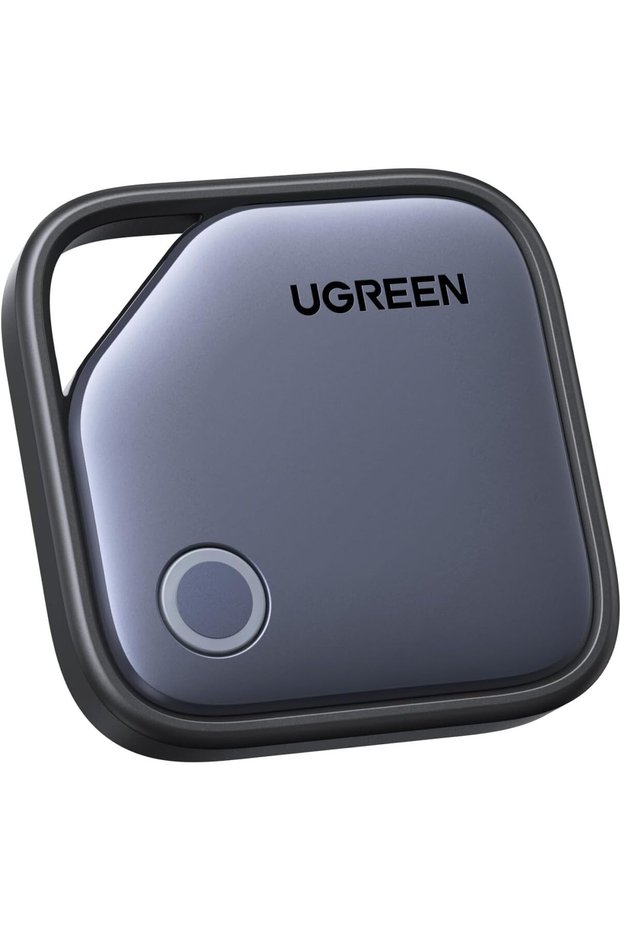


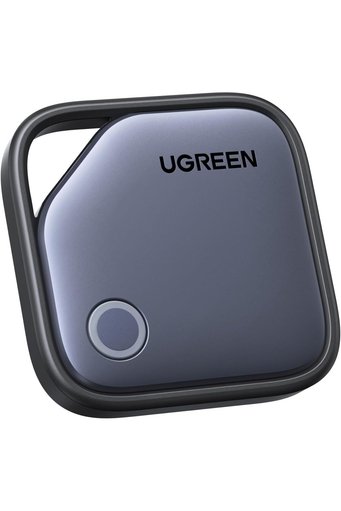
Generic FineTrack 1 Pack Bluetooth Tracker, Smart Tag with Apple Find My
No reviews yet.
180.01
SAR
(incl. VAT)
Free shipping
Delivery address

Select your address, find out the delivery date!
International delivery
Trendyol's commitments
Easy and free return in 15 days.
Payment methods



Highlighted features:
Generic FineTrack 1 Pack Bluetooth Tracker, Smart Tag with Apple Find My features
Color
Gold-colored
Available campaigns

Applied at checkout
KAIADSD
7.8
Seller information
Generic FineTrack 1 Pack Bluetooth Tracker, Smart Tag with Apple Find My reviews
No reviews yet.
Product details
Product description
Previous page Next page Previous page Next page FineTrack Q &
A Q1 Why doesn't anything happen when I press the button on the FineTrack for the first time? A1 The insulation film must be removed first.
Once removed, the product will automatically power on with a beep and indicator light.
Q2 Why doesn't the tracker update its location in a timely manner, or why has it not updated for a long time? A2 The tracker works by broadcasting a signal to nearby Apple devices, which then encrypt and upload the data to Apple's Find My network.
This process does not support real-time updates and depends on the density of nearby Apple devices and the update frequency of Apple's system.
In areas with low Apple device coverage, update speed will be slower Q3 Which devices are supported for pairing with the tracker? A3 Supports pairing with iPhone/iPad.
A single iPhone/iPad can pair with up to 32 trackers.
Not compatible for pairing with MacBook, but MacBook can still view the tracker location in the Find My App.
System requirements: iOS 14.5 and above / iPadOS 14.5 and above / macOS 12.5 and above.
Q4 Why can't I add the FineTrack to the Apple Find My App? A4 Check that your iPhone/iPad meets system requirements, Bluetooth is on, and your network is working properly.
Factory reset: While powered on, quickly press the button 5 times.
After hearing 3 consecutive beeps, press and hold the button for 6 seconds until 2 beeps are heard.
Open the Find My App and follow the steps to add it again.
Q5 How to rebind an already added tracker to another iPhone? A5 Method 1: If iPhone 1 and the tracker are nearby, use iPhone 1's Find My App to select "
Remove Item"
The tracker can then be paired with iPhone 2. Method 2: If iPhone 1 and the tracker are far apart, first use iPhone 1 to remove the tracker in the Find My App.
Then perform a factory reset: press the button quickly 5 times, hear 3 beeps, then press and hold for 6 seconds until you hear 2 beeps.
The tracker can now be used with iPhone 2. Q6 What is the "
Find My"
App? Can Android users use FineTrack? A6 No, FineTrack only supports Apple devices and is not compatible with Android.
"
Find My"
is a pre-installed app on Apple devices (used by millions of people daily to locate items).
Q7 Does this tracker support Apple’s Precision Finding like AirTag? A7 This tracker does not support precise positioning because Apple does not provide access to UWB technology.
It can track the item and play sounds in the Find My app, but it does not support directional guidance or arrow tracking.
FineTrack:The World's First Tracker Superstore FineTrack 1 Pack Add to cart FineTrack 4 Pack Add to cart FineTrack Slim Add to cart FineTrack Mini Add to cart FineTrack 4 Pack Add to cart FineTrack S Add to cart Customer Reviews 4.2 out of 5 stars 11,115 4.2 out of 5 stars 11,115 4.4 out of 5 stars 5,255 4.1 out of 5 stars 1,281 4.4 out of 5 stars 1,754 4.3 out of 5 stars 544 Price SAR 55.00SAR55.00 SAR 179.00SAR179.00 SAR 89.00SAR89.00 SAR 109.00SAR109.00 SAR 209.00SAR209.00 SAR 78.00SAR78.00 Apple Certification ✔ ✔ ✔ ✔ ✔ ✘ Adaptation System IOS IOS IOS IOS IOS Samsung Battery 24 months 24 months Rechargeable 18 months Rechargeable 24 months Charging function ✘ ✘ ✔ ✘ ✔ ✘ Number 1 4 1 2 4 2
Additional info
- Sold by .
- A maximum of 5 units of this product can be ordered. Trendyol reserves the right to cancel orders over 5 units.
- Barcode No: CofLt8gTPfBC7dF19QTt7q2hEGJzDEUmFgtzW
Generic FineTrack 1 Pack Bluetooth Tracker, Smart Tag with Apple Find My features
Color
Gold-colored
Safety information
Product safety information