


Free shipping


Binoculars category
#10 Most favorited
Auriol Spotting Scope 20-60*60
No reviews yet.
Almost sold out!
-22%
250
SAR
320
(incl. VAT)
Delivery address
Free shipping
Select your address, find out the delivery date!
Local delivery
Trendyol's commitments
Easy and free return in 15 days.
Payment methods




Highlighted features:
Auriol Spotting Scope 20-60*60 features
Model
One-eyed
Color
Black
Night Vision
None
Instructions for Use/Warnings
The AURIOL Spotting Scope 20–60x60 is easy to use; follow these steps: 1. Mount the spotting scope on the included tripod to ensure a steady image. 2. Open the front lens cap and point the spotting scope at the target you want to view. 3. Start at the lowest magnification (20x) to easily find the subject. 4. Turn the focus wheel until the image is perfectly clear. 5. Once the subject is in focus, gradually increase the magnification up to 60x as needed, then refocus if necessary. 6. If you want to take photos or videos, attach the phone mount to the eyepiece and secure your phone so that its camera is aligned with the eyepiece, then open the camera app and take photos or record videos.
Origin
AW
AGM Trading
8.7
Seller information
Similar items











 Traditional Patterned Carpet Mat – 4mm Thick, Dust-Resistant, Easy to Clean and Fold, Suitable for Hiking, Camping, and Outdoor Excursions.





Shoppers also viewed






Auriol Spotting Scope 20-60*60 reviews
No reviews yet.
Product details

Product description
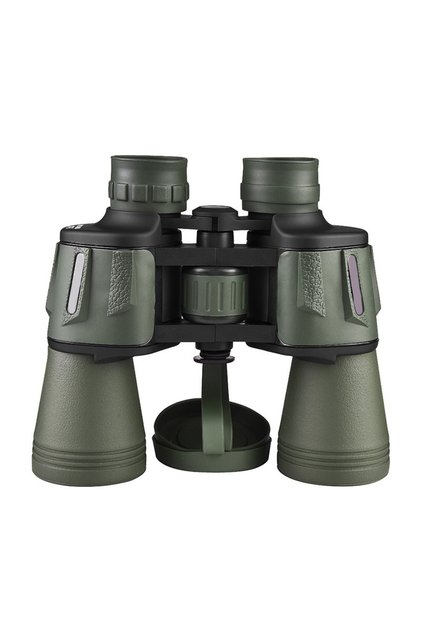
Professional binoculars designed to clearly view distant targets, such as birds, wildlife, landscapes, shooting, and ships.
it provides variable magnification from 20x to 60x with a 60mm front lens that gives a brighter and clearer image in suitable lighting conditions.
it also comes with a smartphone holder to capture photos and videos directly through the lens, as well as a tripod to stabilize the binoculars during use.
features: * variable magnification: 20x to 60x.
* 60mm front lens.
* smartphone holder for photography.
* table tripod with non-slip base.
* retractable front lens protector.
* focus wheel to adjust the image precisely.
* suitable for glasses wearers thanks to the adjustable rubber lens.
uses: * bird and animal observation.
* landscape viewing.
* shooting and target observation.
* travel, trekking, and camping.
* taking photos and videos with a smartphone.
Additional info
- Sold by .
- A maximum of 5 units of this product can be ordered. Trendyol reserves the right to cancel orders over 5 units.
- Barcode No: 4335814075590
- Origin: AW
Auriol Spotting Scope 20-60*60 features
Model
One-eyed
Color
Black
Night Vision
None
Instructions for Use/Warnings
The AURIOL Spotting Scope 20–60x60 is easy to use; follow these steps: 1. Mount the spotting scope on the included tripod to ensure a steady image. 2. Open the front lens cap and point the spotting scope at the target you want to view. 3. Start at the lowest magnification (20x) to easily find the subject. 4. Turn the focus wheel until the image is perfectly clear. 5. Once the subject is in focus, gradually increase the magnification up to 60x as needed, then refocus if necessary. 6. If you want to take photos or videos, attach the phone mount to the eyepiece and secure your phone so that its camera is aligned with the eyepiece, then open the camera app and take photos or record videos.
Origin
AW
Safety information
Product safety information


