


Free shipping


Delivery address
Free shipping
Select your address, find out the delivery date!
International delivery
Trendyol's commitments
Easy and free return in 15 days.
Payment methods



Highlighted features:
DJI OM Magnetic Quick-Release Mount features
Color
Gray
njkki
Seller information
DJI OM Magnetic Quick-Release Mount reviews
No reviews yet.
Product details

Product description
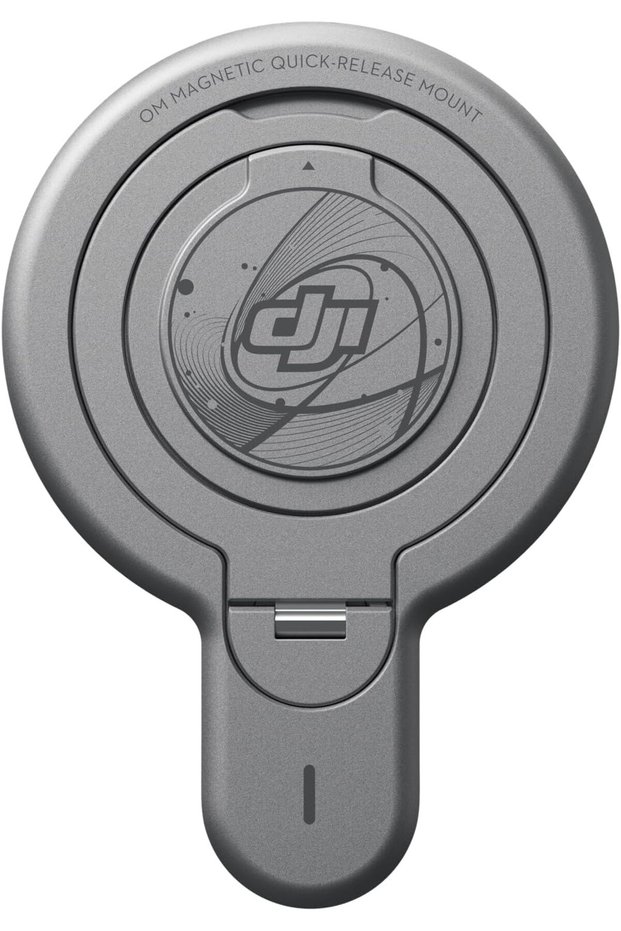
• Designed for iPhone users, this mount attaches directly to the back of your iPhone via MagSafe to simplify the creative process.
• Compatibility: Osmo Mobile 8, Osmo Mobile 7P, Osmo Mobile 7, Osmo Mobile 6, Osmo Mobile SE, DJI OM 5, DJI OM 4 SE, DJI OM 4 • Tips: 1. Only supports iPhone 12 and newer models
Compatible with Apple's official iPhone cases with MagSafe, allowing easy use without removing the case.
2. This accessory contains magnets.
Keep the device away from magnetic cards, IC cards, pacemakers, hard drives, RAM chips and other devices to avoid interference.
3. Remove the magnetic quick release mount from the smartphone before using wireless charging.
4. During use, make sure the magnetic quick release mount is aligned properly with the MagSafe magnet from your iPhone.
• Tips: 5. It is recommended to use the magnetic quick release mount when the gimbal is stationary or moving slowly to keep your smartphone stable.
Avoid using it during intense activities, fast movements or running to prevent the smartphone from falling.
6. When using the magnetic quick release mount, the DJI OM 7 series tracking kit is not compatible.
• Technical data: weight: approx.
45 g • Package Contents:DJI OM Magnetic Quick Release Bracket x 1 • Designed for iPhone users, this mount attaches directly to the back of your iPhone via MagSafe to simplify the creative process.
• Compatibility: Osmo Mobile 8, Osmo Mobile 7P, Osmo Mobile 7, Osmo Mobile 6, Osmo Mobile SE, DJI OM 5, DJI OM 4 SE, DJI OM 4 • Tips: 1. Only supports iPhone 12 and newer models
Compatible with Apple's official iPhone cases with MagSafe, allowing easy use without removing the case.
2. This accessory contains magnets.
Keep the device away from magnetic cards, IC cards, pacemakers, hard drives, RAM chips and other devices to avoid interference.
3. Remove the magnetic quick release mount from the smartphone before using wireless charging.
4. During use, make sure the magnetic quick release mount is aligned properly with the MagSafe magnet from your iPhone.
• Tips: 5. It is recommended to use the magnetic quick release mount when the gimbal is stationary or moving slowly to keep your smartphone stable.
Avoid using it during intense activities, fast movements or running to prevent the smartphone from falling.
6. When using the magnetic quick release mount, the DJI OM 7 series tracking kit is not compatible.
• Technical data: weight: approx.
45 g • Package Contents:DJI OM Magnetic Quick Release Bracket x 1
Additional info
- Sold by .
- A maximum of 5 units of this product can be ordered. Trendyol reserves the right to cancel orders over 5 units.
- Barcode No: tr-B0DRK9WWPR
DJI OM Magnetic Quick-Release Mount features
Color
Gray
Safety information
Product safety information