


Free shipping
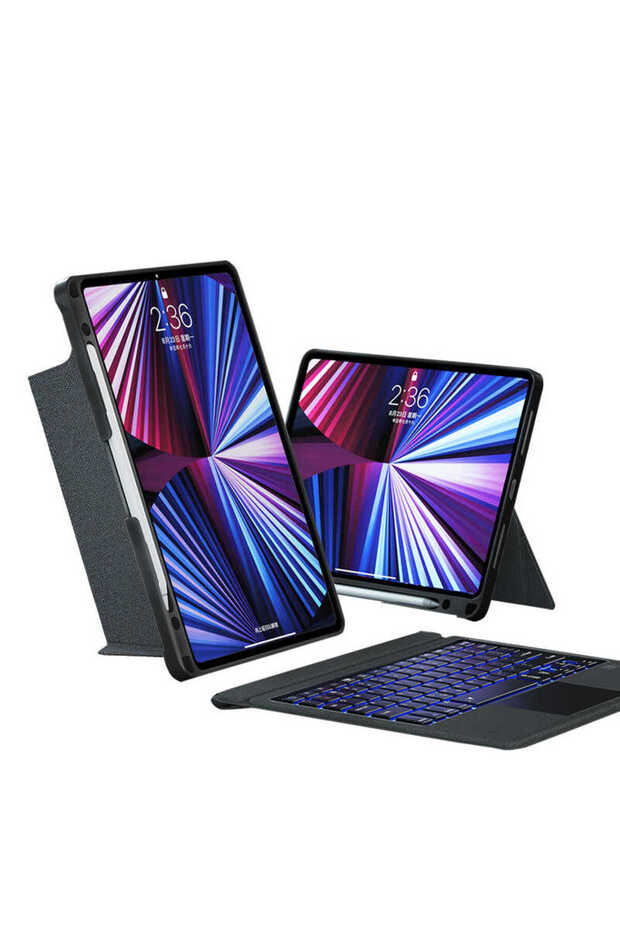


Fuchsia iPad 10.2 2020 (8Th Generation) Case with Mag Touch Keyboard and Stand
No reviews yet.
Only 1 left!
Lowest price in 7 days
-51%
191.72
SAR
391.58
(incl. VAT)
Free shipping
Delivery address

Select your address, find out the delivery date!
Local delivery

Get it today for free
Order within 10:08:22 for delivery today!
Trendyol's commitments
Easy and free return in 15 days.
Payment methods




Highlighted features:
Fuchsia iPad 10.2 2020 (8Th Generation) Case with Mag Touch Keyboard and Stand features
Color
Black
Sleep Mode
Available
Cover Type
Keyboard Case
Compatible Brand
Apple Compatible
Compatible Model
iPad 8th generation
Origin
CN


Trendyol

9.6
5.5M followers
Seller information
Similar items
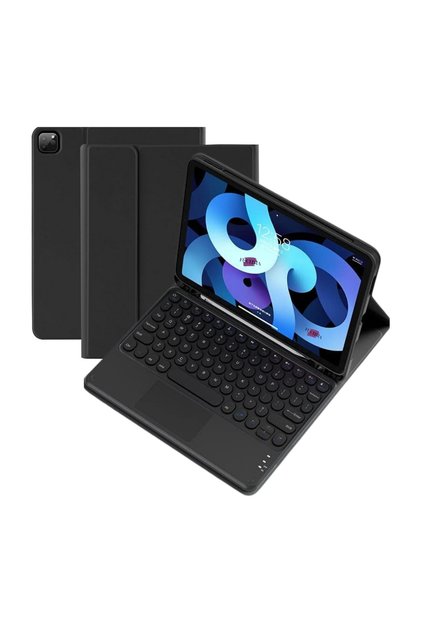

 Tablet Case with Keyboard and Stand Compatible with iPad Air 2024 13-Inch M2 Chip



 Trendyol Plus Exclusive











Shoppers also viewed


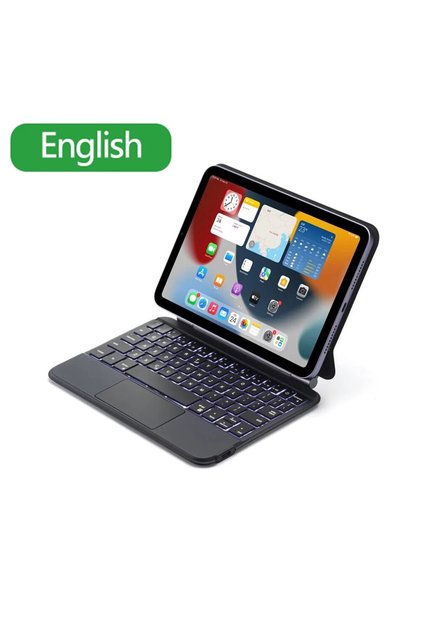




Fuchsia iPad 10.2 2020 (8Th Generation) Case with Mag Touch Keyboard and Stand reviews
No reviews yet.
Product details
Product description
Use a Bluetooth (5.1) connection to set up a comfortable office workspace with your iPad.
You can enable your device’s Bluetooth pairing mode using the “Fn+Del” key combination and connect to the device named “Bluetooth 5.1 Keyboard.”
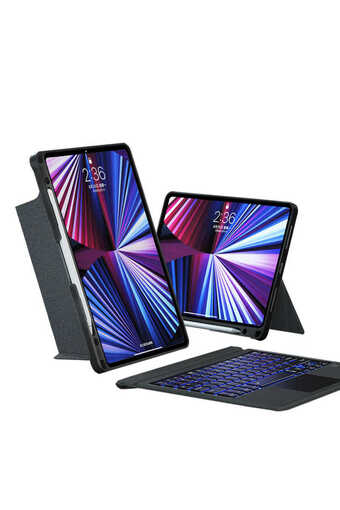
The back panel, made of soft TPU material, is shock-absorbing and protects your device from dust and liquids.
Thanks to the special magnetic pen holder, you can carry your Apple Pencil anywhere and use it easily.
The magnetic, detachable keyboard is suitable for a variety of usage needs.
Easily manage your device with the iDevice shortcut keys located on the top of the keyboard.
Tap, swipe, and pinch on the large smart touchpad to maximize productivity (requires iOS 13.4.1 or later).
Thanks to the rotating head design and the ability to function as a stand at angles ranging from 30 to 160 degrees, you can use it at any angle you prefer.
The keyboard backlighting can be set to 7 different colors.
The brightness level can be adjusted to 3 different settings.
Thanks to the smart sleep mode, it automatically enters sleep mode when you close the case.
The portable keyboard design makes typing more convenient.
Matte-finish keys that are quiet and provide a realistic tactile feel.
Lightweight, slim, stylish, and compact design all in one.
Ready to use right out of the box, no setup required.
Easy to use with various iOS-compatible shortcut keys.
TECHNICAL SPECIFICATIONS:
Operating current: 85–120 mA
Operating voltage: 3.0 V – 4.2 V
Battery standby time: ≥ 150 days
Operating time: ≥ 5 hours
Charging port: Type-C USB
Charging time: 2–3 hours
Sleep current: <
40 mA
Battery capacity: 500 mAh
Wake-up time: ≤ 2 seconds
Connection range: ≤ 10 meters
Operating temperature: -10 °C~
Charging current: ≤ 250 mA
TOUCHPAD USAGE FEATURES:
Wake Up iPad: Tap the touchpad once or press any key on the keyboard.
Tap and Hold: Tap once with a single finger without lifting it.
Go to Home Screen: Swipe down with a single finger past the bottom of the screen.
After the Control Center (Dock) appears, swipe down again with one finger past the bottom of the screen.
Scroll Screen: Swipe the pointer with one finger past the right edge of the screen.
Swipe right again to hide it.
Scroll Up and Down: Swipe up and down with two fingers.
Swipe Left and Right: Swipe left and right with two fingers.
Right-Click: Tap with two fingers.
Zoom: Swipe two fingers in opposite directions without lifting them.
Switch Between Apps: Swipe right or left with three fingers.
Open Today View: Swipe right with two fingers on the home or lock screen.
Open Search: Swipe down with two fingers on the home or lock screen.
SHORTCUT KEY USAGE:
Shortcut keys are blue on your keyboard and can be used when pressed in combination with the “Fn” key.
CHANGING KEYBOARD COLOR:
Press the “↑ Up” or “↓ Down” key along with the key marked with the “lightbulb” icon.
Additional info
- Sold and fulfilled by .
- A maximum of 5 units of this product can be ordered. Trendyol reserves the right to cancel orders over 5 units.
- Barcode No: 4973218947305
- Origin: CN
Fuchsia iPad 10.2 2020 (8Th Generation) Case with Mag Touch Keyboard and Stand features
Color
Black
Sleep Mode
Available
Cover Type
Keyboard Case
Compatible Brand
Apple Compatible
Compatible Model
iPad 8th generation
Origin
CN
Safety information
Product safety information


