


Free shipping


Generic Mini Thermal Printer Portable Handheld Printer
No reviews yet.
Almost sold out!
-22%
88
SAR
113
(incl. VAT)
Delivery address
Free shipping
Local delivery
Seller offers this item in select locations. See where.
Estimated delivery: 24 - 26 October
Select your address, find out the delivery date!
Trendyol's commitments
Easy and free return in 15 days.
Payment methods



Highlighted features:
Generic Mini Thermal Printer Portable Handheld Printer features
Instructions for Use/Warnings
1. Charging and Setting Up the Printer
To charge the printer, connect it to the included Type-C charging cable and fully charge it before first use.
To turn on the device, press and hold the front power button—which lights up green in the image—for 3 to 5 seconds.
2. Loading Thermal Paper
Opening the Printer: Slide the side tabs to open the printer’s top cover.
Insert the thermal paper roll.
Important Note: Make sure the glossy or sensitive side of the paper is facing up toward the print head, and leave a small portion of the paper hanging out.
3. Downloading the App and Pairing via Bluetooth
Download the app. You can scan the QR code in the included instruction manual to find the exact app.
Pairing
1. Turn on Bluetooth on your cell phone and pair the devices from within the app itself
4. Start printing
Origin
CN
Feature
Phone controlled
Similar items










Generic Mini Thermal Printer Portable Handheld Printer reviews
No reviews yet.
Product details

Product description
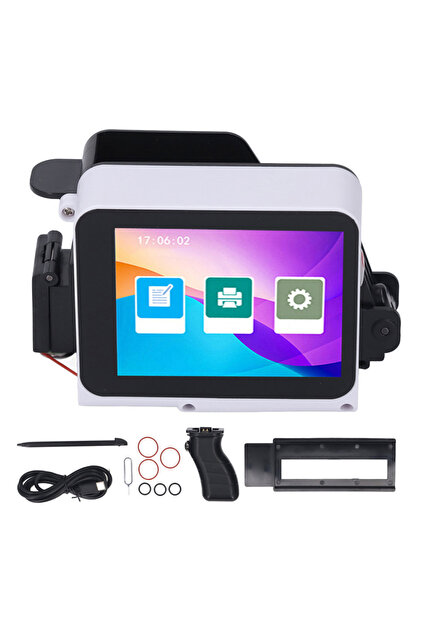
Mini thermal printer x6 is used to print labels, study notes, and task lists directly from smartphones. the printing technology is based on direct thermal printing without ink, meaning it does not require ink cartridges or toner, but relies on thermal paper rolls to produce white print. connection: it connects wirelessly to phones via bluetooth technology, and is compatible with android and ios operating systems to facilitate printing through applications. design and ports: it features a compact and simple cube design in white, and has a circular power button that lights up green at the front, in addition to a modern type-c charging port to recharge the battery.
Additional info
- Sold by .
- A maximum of 5 units of this product can be ordered. Trendyol reserves the right to cancel orders over 5 units.
- Barcode No: 39287172040
- Origin: CN
Generic Mini Thermal Printer Portable Handheld Printer features
Instructions for Use/Warnings
1. Charging and Setting Up the Printer
To charge the printer, connect it to the included Type-C charging cable and fully charge it before first use.
To turn on the device, press and hold the front power button—which lights up green in the image—for 3 to 5 seconds.
2. Loading Thermal Paper
Opening the Printer: Slide the side tabs to open the printer’s top cover.
Insert the thermal paper roll.
Important Note: Make sure the glossy or sensitive side of the paper is facing up toward the print head, and leave a small portion of the paper hanging out.
3. Downloading the App and Pairing via Bluetooth
Download the app. You can scan the QR code in the included instruction manual to find the exact app.
Pairing
1. Turn on Bluetooth on your cell phone and pair the devices from within the app itself
4. Start printing
Origin
CN
Feature
Phone controlled
Safety information
Product safety information