Free shipping
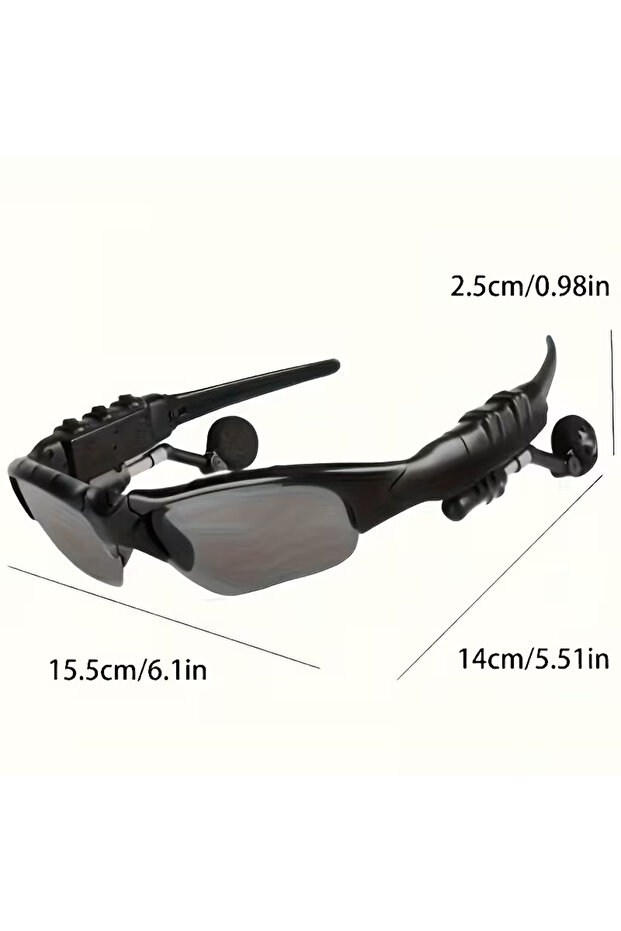


Generic Multifunctional wireless smart glasses - surround sound and complete freedom
No reviews yet.
Only 1 left!
-57%
69
SAR
159
(incl. VAT)
Color:Black
Free shipping
Delivery address

Select your address, find out the delivery date!
Local delivery
Trendyol's commitments
Easy and free return in 15 days.
Payment methods



Highlights

Highlighted features:
Generic Multifunctional wireless smart glasses - surround sound and complete freedom features
Color
Black
Instructions for Use/Warnings
Music/Games Mode: Double-tap the touch key to switch between music and games modes (when connected to your phone). 2. Power On/Off: Power On: Press and hold (1.3 seconds) until the indicator flashes. Find the device name and pair with it. Off: Press and hold (5 seconds) until the light turns off. Battery alert: An alert sound and slow flashing occur when the charge is low. 3. Touch functions: Single tap: Play/pause, or answer/end calls. Double/triple tap: To download or upload (skip tracks). Voice assistant: Press and hold (1 second) to activate the voice assistant to control volume and songs. Note: You can play while charging by pressing and holding (3 seconds). Volume is adjusted via the phone or voice assistant. 4. Precautions and solutions: Connection failure: Make sure the product is turned on and not connected to another device. No sound: Make sure "Media Sound" or "Call Sound" is enabled in your phone settings. Warning: Do not disassemble the battery, and use only a 5V charger.
Origin
CN
Generic Multifunctional wireless smart glasses - surround sound and complete freedom reviews
No reviews yet.
Product details

Product description
Multifunctional Wireless Smart Glasses - Surround Sound and Complete Freedom
Advanced Wireless Connectivity: Built-in microphone and speaker for hands-free calls and music
Ergonomic Design: Durable and lightweight construction ideal for extended wear while commuting or gaming
Fast Charging: Equipped with a USB-C port for continuous operation
Universal Compatibility: Works seamlessly with all smartphones and tablets
Uses: Perfect for driving, traveling, and virtual reality.
Additional info
- Sold by .
- A maximum of 5 units of this product can be ordered. Trendyol reserves the right to cancel orders over 5 units.
- Barcode No: z.NV6800176
- Origin: CN
Generic Multifunctional wireless smart glasses - surround sound and complete freedom features
Color
Black
Instructions for Use/Warnings
Music/Games Mode: Double-tap the touch key to switch between music and games modes (when connected to your phone). 2. Power On/Off: Power On: Press and hold (1.3 seconds) until the indicator flashes. Find the device name and pair with it. Off: Press and hold (5 seconds) until the light turns off. Battery alert: An alert sound and slow flashing occur when the charge is low. 3. Touch functions: Single tap: Play/pause, or answer/end calls. Double/triple tap: To download or upload (skip tracks). Voice assistant: Press and hold (1 second) to activate the voice assistant to control volume and songs. Note: You can play while charging by pressing and holding (3 seconds). Volume is adjusted via the phone or voice assistant. 4. Precautions and solutions: Connection failure: Make sure the product is turned on and not connected to another device. No sound: Make sure "Media Sound" or "Call Sound" is enabled in your phone settings. Warning: Do not disassemble the battery, and use only a 5V charger.
Origin
CN
Safety information
Product safety information