Free shipping
Only 2 left!
ICGOICIC 4MB RP2040 Raspberry Pi Core Board Compatible With RP2 Raspberry Pi Pico Micropython
No reviews yet.

Special Deals
27.7219.40SAR
Free shipping
Delivery address

Select your address, find out the delivery date!
Trendyol's commitments
Easy and free return in 15 days.
Payment methods



Coupons
Highlighted features:
ICGOICIC 4MB RP2040 Raspberry Pi Core Board Compatible With RP2 Raspberry Pi Pico Micropython features
Instructions for Use/Warnings
*4MB

Big Save Store
8.8
79.6K followers
Seller information
ICGOICIC 4MB RP2040 Raspberry Pi Core Board Compatible With RP2 Raspberry Pi Pico Micropython reviews
No reviews yet.
Product details
Additional info
- A maximum of 10 units of this product can be ordered. Trendyol reserves the right to cancel orders over 10 units.
- Barcode No: 3575054000128
ICGOICIC 4MB RP2040 Raspberry Pi Core Board Compatible With RP2 Raspberry Pi Pico Micropython features
Instructions for Use/Warnings
*4MB
Safety information
Product safety information
Product description
Color:4MB
Product description
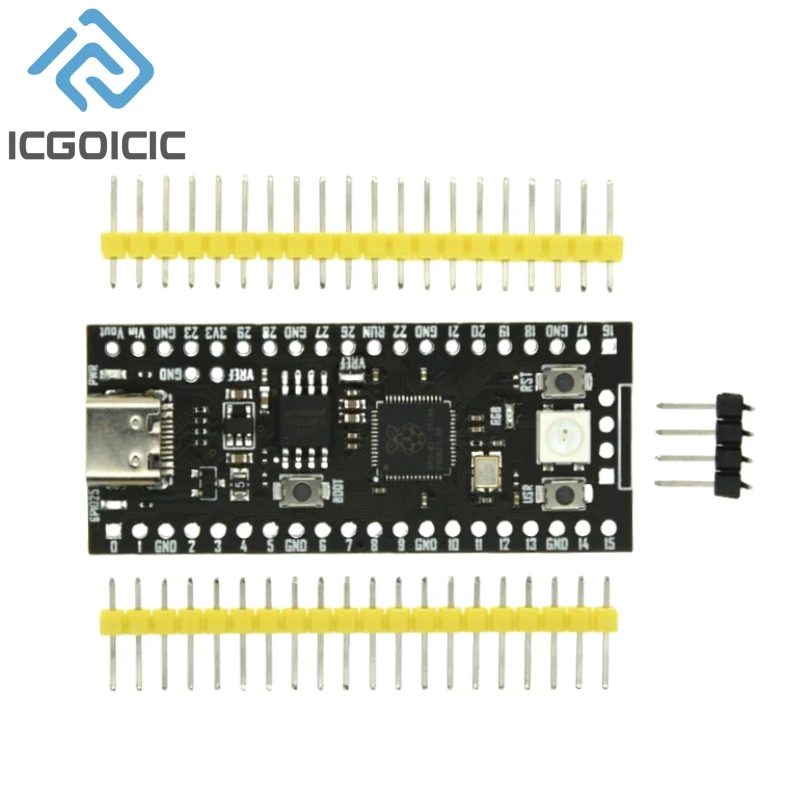
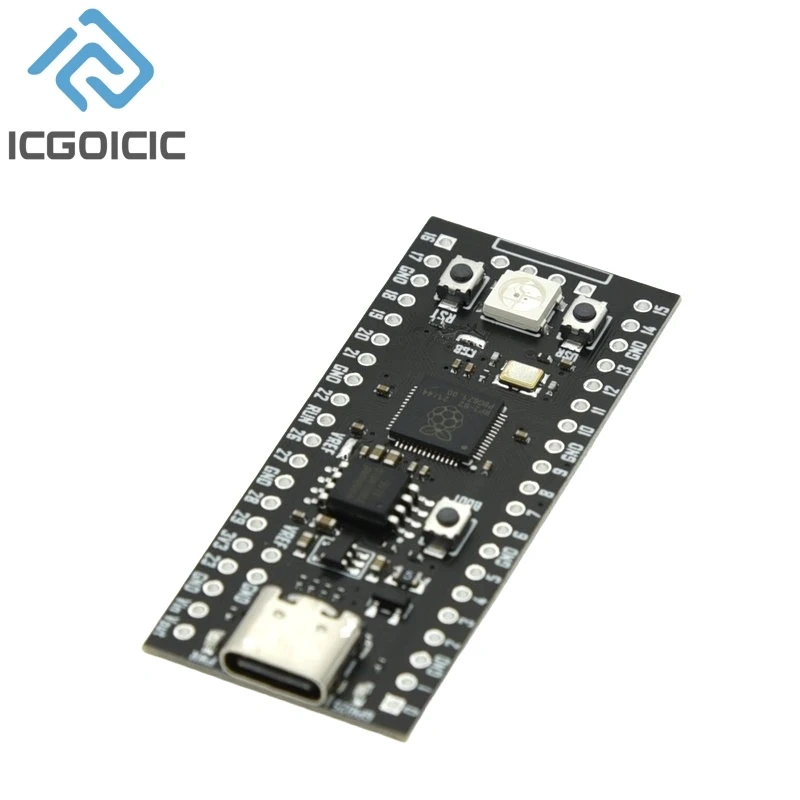
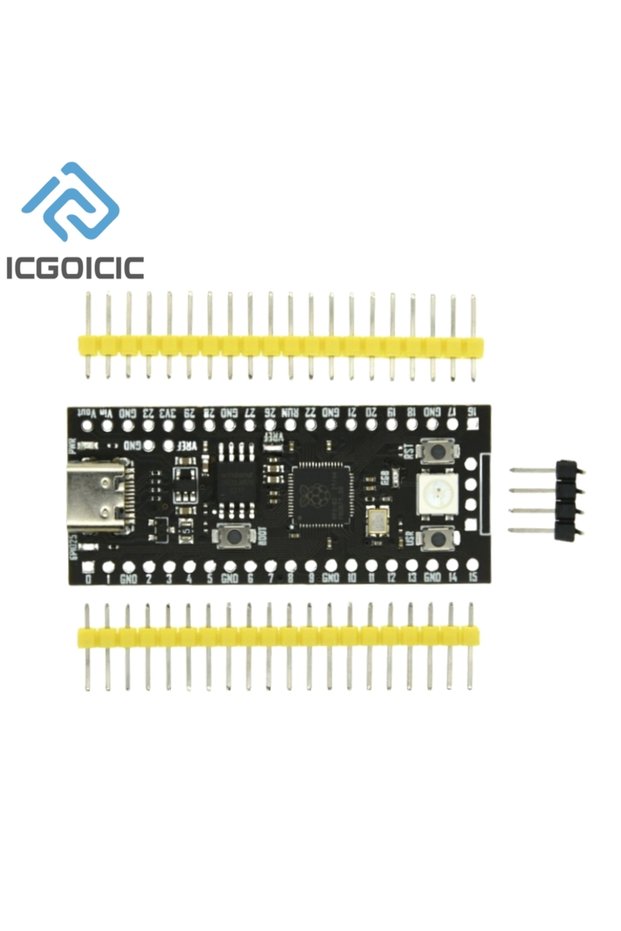
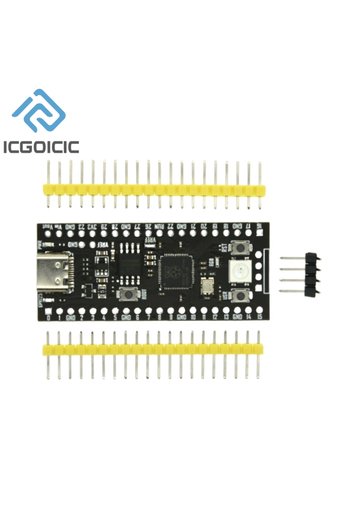
RP2040 Microprocessor (MCU) integrates dual-core ARM architecture Cotex-MO+ core, directly integrates 264KB RAM, supports up to 16M QSPI external expansion Flash, highly flexible I/O settings, including l2C, SPI, PIO ( Programmable I/O); YD-RP2040 core board is a core board circuit board made of RP2040 microprocessor (MCU), which is convenient for users to carry out peripheral expansion, circuit design and construction. Raspberry Pi has also launched its own official RP2040 core board, the model is Raspberry Pi Pico core board, YD-RP2040 core board, which can achieve no recognition result with Ra core in terms of mechanical size and electrical pins. The board is compatible for use, see the information for details on the differences, and improve a series of deficiencies of the Raspberry PiPico core board:
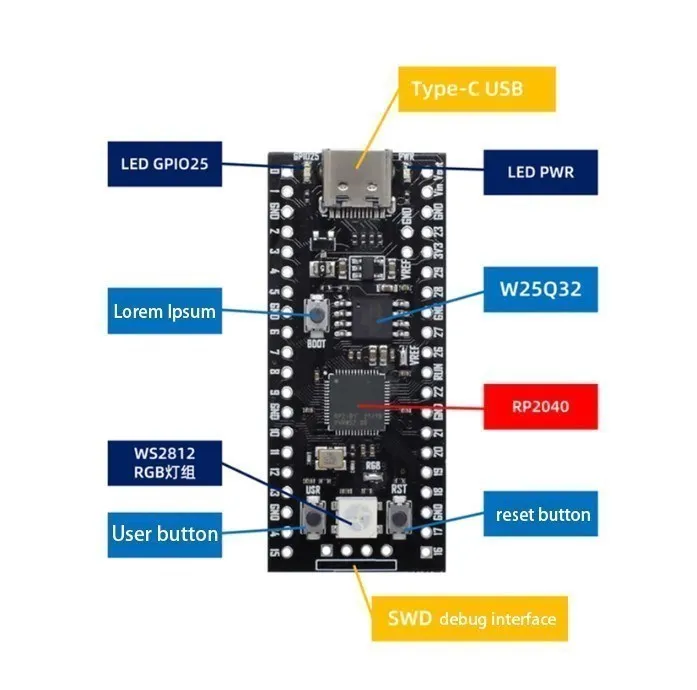
●Increased the PWR power indicator to improve the human-computer interaction experience when plugged into the USB power supply.
●Change the microUSB interface of Raspberry Pi Pico to Type-C of YD-RP2040 core board, the USB interface is convenient for users to find related USB cables more conveniently.
●Add a reset button, which is convenient for users to reset and update firmware in the power-on state.
●Add USRkey user button, which is convenient for users to verify and use simple input functions.
●Added RGB light group, which is convenient for users to operate the RGB light group to reflect various information through the on-off and brightness of red, green and blue lights.
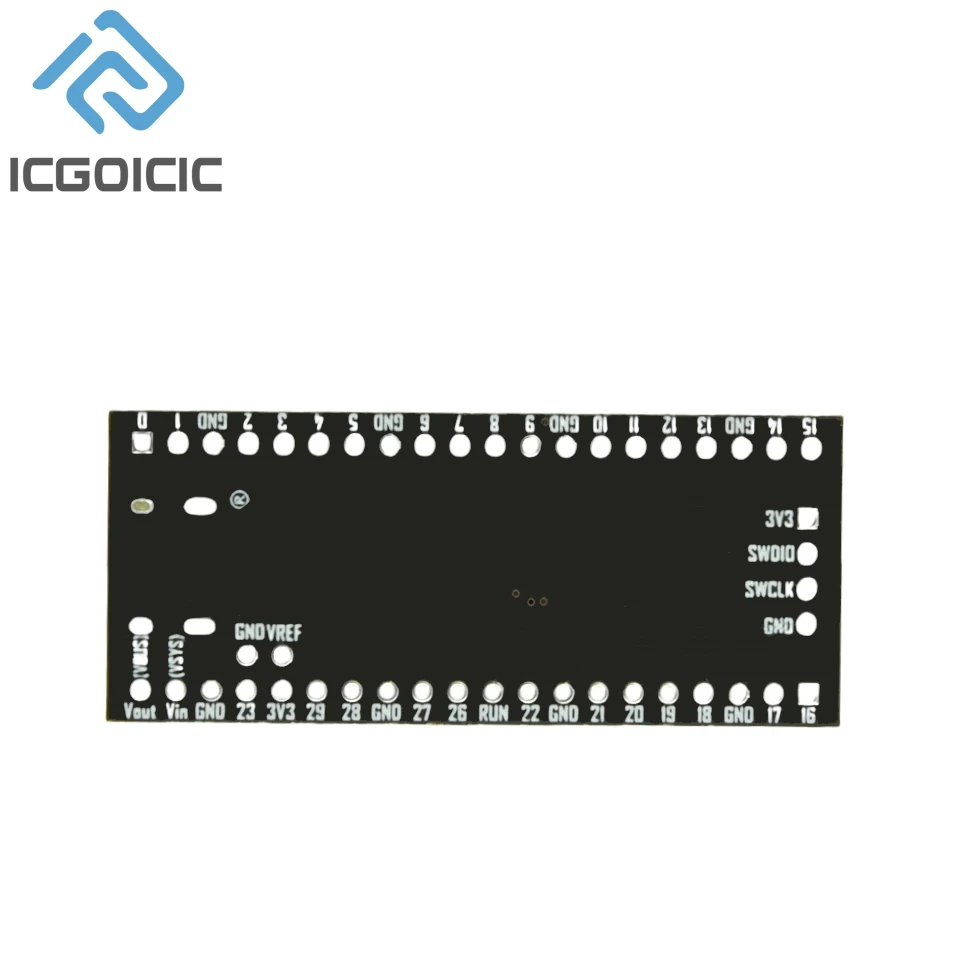
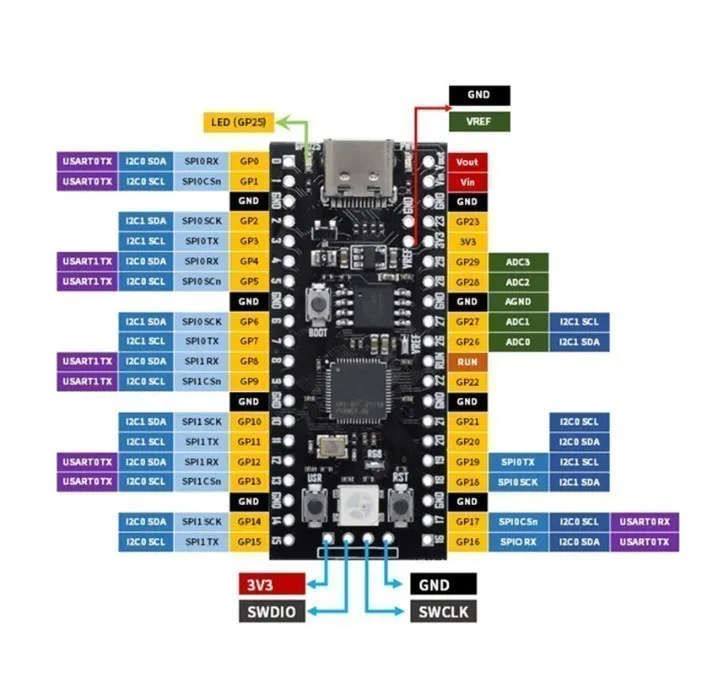
Pin introduction:
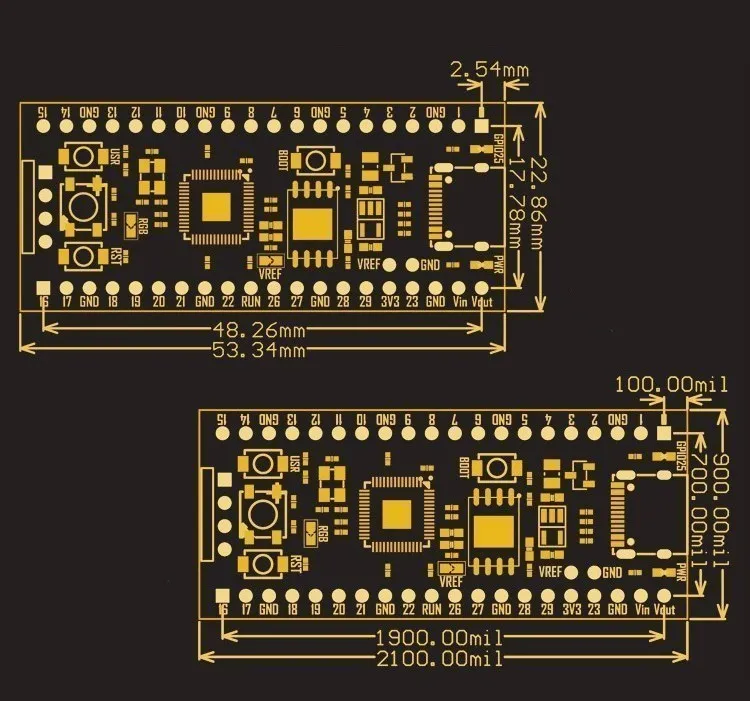
Hardware introduction:
Update firmware operation process
■Press and hold the BOOT button on the board, do not release it, keep pressing it; first, connect the computer and the core board with the USB cable of the type-C interface.
■Press and hold the BOOT button on the board, do not release it, keep pressing it;
Press the RST button again;
■Release the BOOT button after 1 second;
The computer will be automatically recognized as a removable hard disk;
■Copy the file to be downloaded (burned) to the removable hard disk that appears, and the core board will restart automatically.