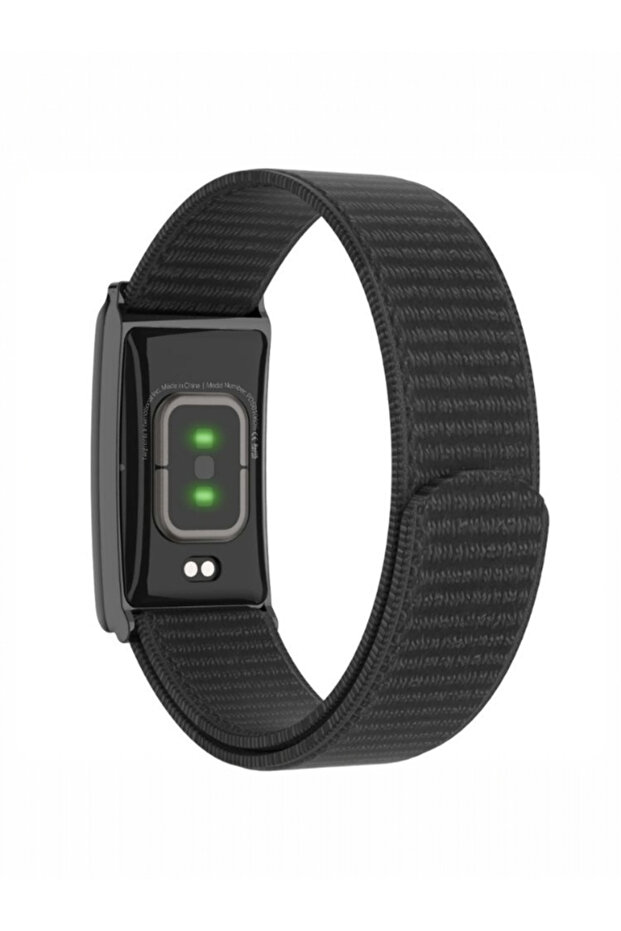


porodo Smart bracelet for tracking physical activity and heart rate - with sleep and calorie tracking - (Android - iPhone)
Almost sold out!
 Trendyol Plus Exclusive
At checkout 91.14 SAR
98 SAR

Free shipping & Delivery

Trendyol's commitments

Shopping security

Secure payment
Privacy protection
Safe delivery
Refund for lost and damaged packages
Coupon for late delivery

Free returns
Easy and free return in 15 days.
Highlighted features:
porodo Smart bracelet for tracking physical activity and heart rate - with sleep and calorie tracking - (Android - iPhone) features
Color
Black
Material
Textile
Instructions for Use/Warnings
Charge the bracelet before first use. Charge the smart bracelet using the included charger until it is fully charged. Turn on the bracelet. Press and hold the bracelet button or touch the screen (depending on the model) to turn it on. Download the app Download the bracelet app from: Google Play Store for Android devices App Store for iPhone devices (the app name is usually something like: FitPro / HryFine / Da Fit) Connect the bracelet to your phone Turn on Bluetooth on your phone. Open the app and select "Add Device." Select the name of the bracelet from the list to connect. Wear the bracelet correctly Place the bracelet on your wrist with a light grip (not too tight) to ensure accurate heart rate measurement. Track your health data through the app You can view: Number of steps Heart rate Calories Sleep quality Enable notifications (optional) You can enable call and message notifications from within the app. Charge regularly Charge the band every few days depending on usage. Important tips: For accurate measurements, wear the band while moving and sleeping. Do not use the band while showering unless it is specified as waterproof. Sync the band with the app daily to save data.
Origin
CN
Product details

porodo Smart bracelet for tracking physical activity and heart rate - with sleep and calorie tracking - (Android - iPhone) features
Color
Black
Material
Textile
Instructions for Use/Warnings
Charge the bracelet before first use. Charge the smart bracelet using the included charger until it is fully charged. Turn on the bracelet. Press and hold the bracelet button or touch the screen (depending on the model) to turn it on. Download the app Download the bracelet app from: Google Play Store for Android devices App Store for iPhone devices (the app name is usually something like: FitPro / HryFine / Da Fit) Connect the bracelet to your phone Turn on Bluetooth on your phone. Open the app and select "Add Device." Select the name of the bracelet from the list to connect. Wear the bracelet correctly Place the bracelet on your wrist with a light grip (not too tight) to ensure accurate heart rate measurement. Track your health data through the app You can view: Number of steps Heart rate Calories Sleep quality Enable notifications (optional) You can enable call and message notifications from within the app. Charge regularly Charge the band every few days depending on usage. Important tips: For accurate measurements, wear the band while moving and sleeping. Do not use the band while showering unless it is specified as waterproof. Sync the band with the app daily to save data.
Origin
CN
Safety information
Product safety information