


Free shipping
1% discount coupon!
Almost sold out!
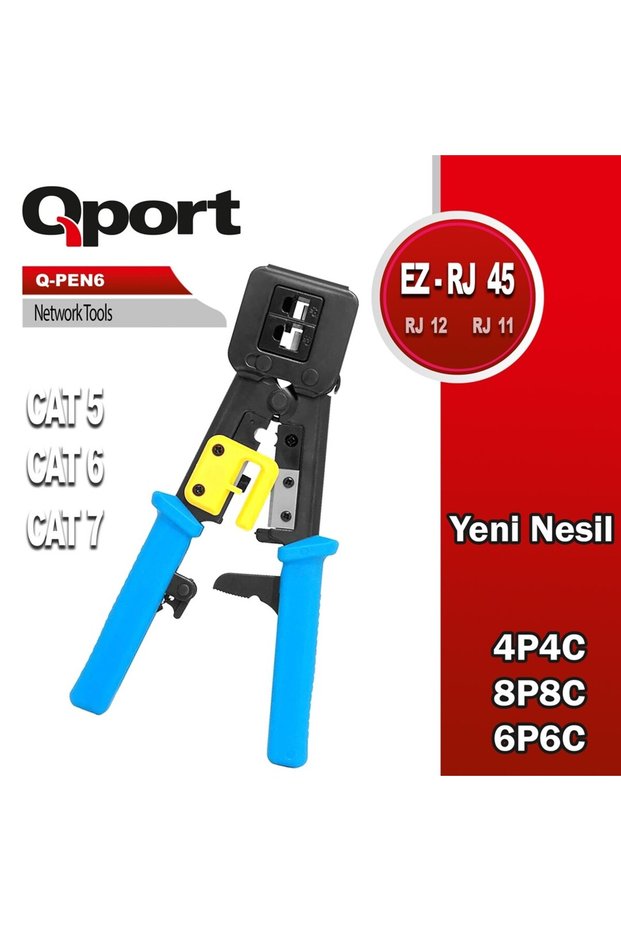
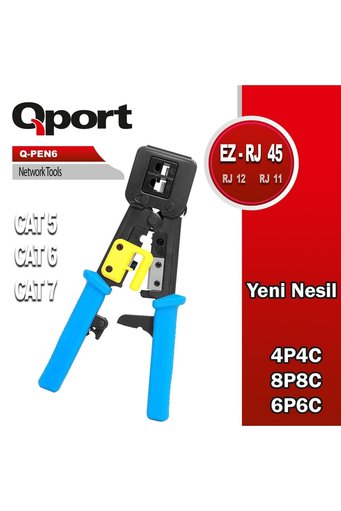
Qport Q-Pen6 Next-Generation Ez-RJ Network Pliers
No reviews yet.
Checkout Discount 45% Off
At checkout
112.97 SAR
205.40 SAR
Free shipping
Delivery address

Select your address, find out the delivery date!
International delivery
Trendyol's commitments
Easy and free return in 15 days.
Payment methods




Coupons
Highlighted features:
Qport Q-Pen6 Next-Generation Ez-RJ Network Pliers features
Origin
CN

ONTECH BİLİŞİM GÜVENLİK
9.8
2.6K followers
Seller information
Qport Q-Pen6 Next-Generation Ez-RJ Network Pliers reviews
No reviews yet.
Product details
Additional info
- Sold by .
- The selling price on Trendyol already includes the export-related costs.
- A maximum of 5 units of this product can be ordered. Trendyol reserves the right to cancel orders over 5 units.
- Barcode No: 8681949013775
- Origin: CN
Qport Q-Pen6 Next-Generation Ez-RJ Network Pliers features
Origin
CN
Safety information
Product safety information
Product description
Product Description: Qport Q-Pen6 Next-Generation Ez-RJ Network Pliers. Brand and Category: This Qport-branded product is a network accessory listed in the Network Products category. Product Type: Classified as pliers; the product type is defined as pliers. Cat6 Crimping: The product is defined as a Cat6 crimping plier and is marketed as the Qport Q-Pen6 Next-Generation Ez-RJ Network Pliers.
About the Qport Q-Pen6 Next-Generation Ez-RJ Network Pliers
The Qport Q-Pen6 Next-Generation Ez-RJ Network Pliers, designed for Cat6 cable termination tasks, is a networking accessory used in network installation and maintenance work. It is a type of pliers, and its primary application is crimping Cat6 cables. It is suitable for anyone who performs cable termination tasks in their own work environment—from users preparing network cables at home to technical personnel connecting cables to various locations.
Terminating a network cable requires care to ensure the connection is secure and functional. When working with the appropriate cable and connector, pliers are the hand tool used to perform the termination process. This allows users who prefer to prepare the cable to their specific needs—rather than using pre-terminated cables—to complete the task right where they are. For those looking for Cat6 crimping pliers, the product’s primary function is clear: crimping Cat6 cable.
It is important that the type of cable you use during the installation is Cat6 and that the procedure you perform meets your cable termination needs. Different cable types, different connectors, or testing and measurement procedures that cannot be performed with pliers may require additional equipment. The Qport-branded Q-Pen6 is a handheld tool offered in the networking accessories category; you can base your purchase decision on your intended use and cable termination workflow.
Before crimping a cable, arrange the conductors in the correct order, use the appropriate connector, and check the connection after the process is complete. These steps help reduce the need to rework the cable in the field. However, if you are looking solely for a cable crimping tool, this product category may be suitable; tasks such as testing network connections, routing cables, or configuring network devices are not within the scope of a crimping tool alone.
Qport Q-Pen6 Technical Specifications
The information that directly influences your decision when choosing this product is its intended use and the type of cable. The Q-Pen6 is defined as a Cat6 crimping plier, and its product category is listed as “pliers.”
| Feature | Value |
|---|---|
| Brand | Qport |
| Product name | Qport Q-Pen6 Next-Generation Ez-RJ Network Pliers |
| Category | Network Products |
| Product type | Network accessory |
| Product type | Pliers |
| Intended use | Cat6 crimping pliers |
📌 note:Make sure the cable and connector you use are suitable for your Cat6 termination project. The steps involved in preparing the cable, aligning the conductors, and checking the final connection all affect the quality of the work.
⚠ attention:A crimping tool is a hand tool used for crimping cables. It should not be considered a tool for measuring cable performance or testing network connections.
Steps for Using a Cat6 Network Pliers
Following the correct sequence of steps when preparing Cat6 cable helps reduce the likelihood of errors during termination. The steps below outline the general cable preparation process; proceed according to the specific design of the cable and connector you are using.
- Secure the cable in the work area; keeping it from moving during cutting and preparation will allow you to work with greater control.
- Measure the cable according to the route you will be using it on and determine where to cut it; preparing a cable that is too short can cause problems at the connection point.
- Carefully strip the outer sheath of the cable; it is important for the integrity of the connection not to damage the insulation of the inner conductors.
- Separate the inner conductors and arrange them in the order required by the connector; the correct order is the basis for the cable termination pattern.
- Insert the conductors into the connector and make sure the terminals are properly positioned inside the connector.
- Position the connector in the pliers in a manner appropriate for the tool's use; the parts must fit properly during clamping.
- Complete the tightening process by using the pliers carefully; do not pull on the cable or connector while doing so.
- Visually inspect the terminated end; check the cable’s seating in the connector and ensure the connection end is straight.
- Test the cable on the network connection where you plan to use it; verifying that the connection works allows you to identify any potential issues before routing the cable.
⚠ attention:Keep your hands away from sharp edges while cutting and preparing cables. Check before you begin to ensure that the cable or connector type is suitable for your application.
How to Use the Qport Q-Pen6 Network Pliers?
The Q-Pen6 is a Cat6 crimping tool used during the final stage of the network cable preparation process. In the workflow, the cable and connector to be used are first selected. The cable end is prepared, the conductors are arranged in the correct order, and they are inserted into the connector. Then, the crimping process is performed using the pliers. This sequence ensures that you take the time to properly prepare the cable and connector before crimping.
In setups where multiple cables are prepared, following the same procedure steps helps maintain a consistent workflow. When terminating the cables, check each end individually to ensure it is prepared correctly. Completing the crimping process does not, by itself, prove that the network connection is working; you must test the connection on the network device where you will be using it or verify it using an appropriate testing method.
If the connection does not work, first check the positioning of the cable ends, the conductor sequence, and whether the connector is properly seated on the cable. The problem may also lie with the network device, the cable, or the connection configuration; therefore, inspect the entire connection chain before attributing the fault directly to the tester. A power outage or lack of internet access does not affect the use of the tester as a handheld tool; however, the relevant devices must be operational to verify the cable’s functionality in the network connection.
If you need to terminate Cat6 cable, you can consider the Qport Q-Pen6 based on your specific use case. If you also need to set up network devices, perform connection tests, or measure cable length, you’ll need additional equipment and specific procedures for those tasks.
Who Is the Qport Q-Pen6 Suitable For?
- Technical staff who prepare Cat6 cables:During installation, you can use Cat6 crimping pliers to terminate the cable ends in the work area.
- Companies that set up networks:When preparing new connection points, you can incorporate cable termination into your workflow.
- Users who manage office network connections:You can use pliers to cut and terminate Cat6 cable as needed.
- Users who set up a home network:If you need to terminate Cat6 cable ends for your own use, you can consider using hand tools for this purpose.
- Those performing network maintenance:You can use Cat6 crimping pliers when replacing a cable end or preparing a new connection.
- Teams performing cabling work on-site:You can evaluate the product type based on whether hand tools are required at the point where the cable will be terminated.
✗ When it might not be enough:If you need to test cables, measure network signals, strip cables, or configure network devices, a Cat6 crimping tool alone won’t be enough to handle these tasks.