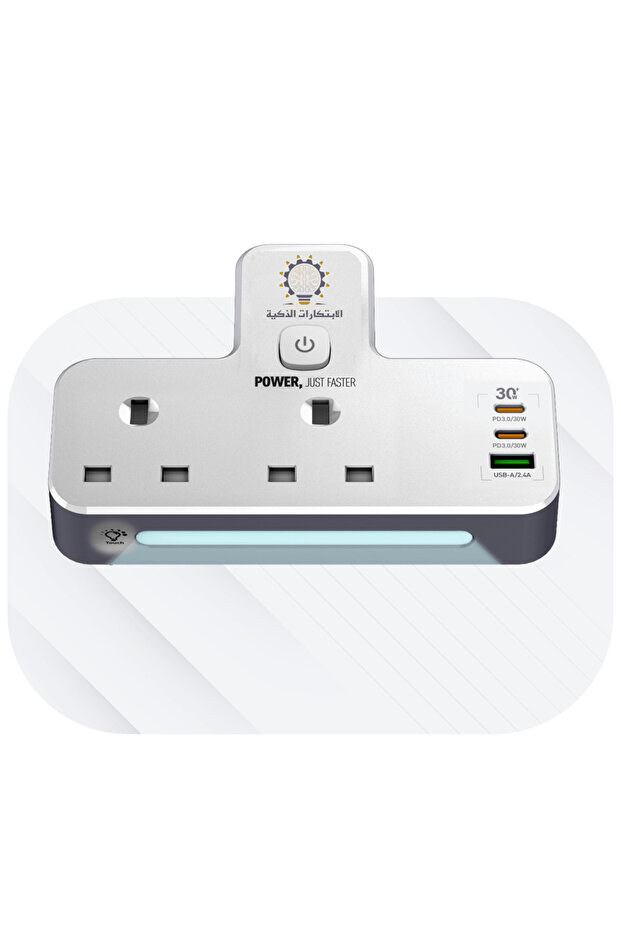


Smart Innovations Innovations Developer Charger
Lowest price in 30 days
-21%
78.21
SAR
99.00
(incl. VAT)
Highlighted features:
Smart Innovations Innovations Developer Charger features
Color
White
Warranty Period
2 years
Connection Type
USB Flash Drives
Instructions for Use/Warnings
Plug the EU plug of the power strip into the appropriate wall power outlet, and ensure that the voltage of the source matches the voltage specified for the power strip (100-250V AC). Use the three available ports on the power strip to connect your charging devices or electronic devices. Use the built-in touch-sensitive lighting unit to select your preferred lighting level. The unit has three lighting levels, making it easy to illuminate the space as needed. To take advantage of fast charging, make sure to connect devices that support QC 3.0 technology to the USB fast charging port. Check that the power strip is operating normally without any signs of overload or overcurrent.
Product details

Smart Innovations Innovations Developer Charger features
Color
White
Warranty Period
2 years
Connection Type
USB Flash Drives
Instructions for Use/Warnings
Plug the EU plug of the power strip into the appropriate wall power outlet, and ensure that the voltage of the source matches the voltage specified for the power strip (100-250V AC). Use the three available ports on the power strip to connect your charging devices or electronic devices. Use the built-in touch-sensitive lighting unit to select your preferred lighting level. The unit has three lighting levels, making it easy to illuminate the space as needed. To take advantage of fast charging, make sure to connect devices that support QC 3.0 technology to the USB fast charging port. Check that the power strip is operating normally without any signs of overload or overcurrent.
Safety information
Product safety information