


Free shipping


Free shipping
Delivery address

Select your address, find out the delivery date!
International delivery
Trendyol's commitments
Easy and free return in 15 days.
Payment methods




Highlighted features:
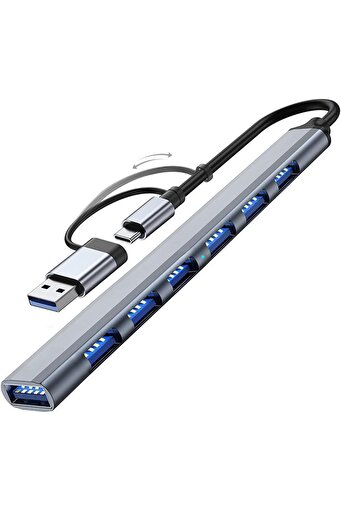
UmoTech 7 Port USB 3.0 Hub 7in1 USB 3.0 Hub Multiplexer Pc Computer Compatible Data Transfer Mouse Keyboard Connect features
Color
Gray
Instructions for Use/Warnings
User Manual Plug the USB-A or Type-C connector into your computer. Connect your USB devices (mouse, keyboard, memory stick, HDD, etc.) to the appropriate ports. When the LED light is on, the device is ready for use. When using external disks or high-current devices, an adapter connection is recommended. Warnings Do not connect high-power devices (e.g., 2.5" HDD) to the hub at the same time. Do not expose the device to liquids, moisture, or excessive heat. Do not force the cable during connection. Use only the original cable. Unplug the device if it will not be used for a long time.
Origin
CN
BGZ STORE

9.8
13.6K followers
Seller information
Shoppers also viewed


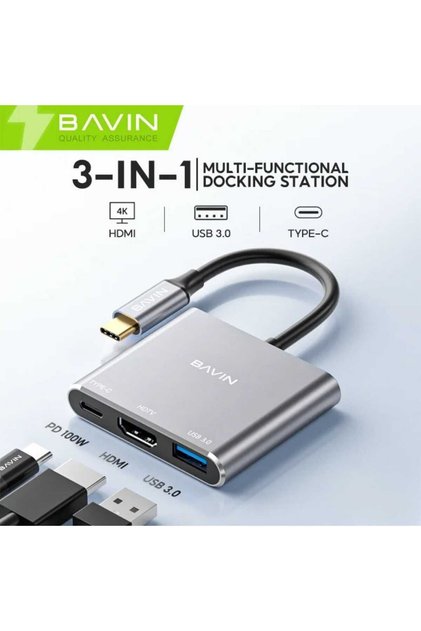
 3 in 1 Type-C to HDMI 4K USB 3.0 Converter Adapter


 Trendyol Plus Exclusive








UmoTech 7 Port USB 3.0 Hub 7in1 USB 3.0 Hub Multiplexer Pc Computer Compatible Data Transfer Mouse Keyboard Connect reviews
4 ratings
No reviews yet.
Product Q&As
Hello . good luck . all 7 input ports, are they all USB 3.0?

Answer from BGZ STORE
hello sir not all
Translated by Google
Hello, does the light turn on in places with a USB port?
Answer from BGZ STORE
Hello, yes.
Translated by Google

Product details
Additional info
- The selling price on Trendyol already includes the export-related costs.
- Sold by .
- A maximum of 5 units of this product can be ordered. Trendyol reserves the right to cancel orders over 5 units.
- Barcode No: BGZ7İN1001
- Origin: CN
UmoTech 7 Port USB 3.0 Hub 7in1 USB 3.0 Hub Multiplexer Pc Computer Compatible Data Transfer Mouse Keyboard Connect features
Color
Gray
Instructions for Use/Warnings
User Manual Plug the USB-A or Type-C connector into your computer. Connect your USB devices (mouse, keyboard, memory stick, HDD, etc.) to the appropriate ports. When the LED light is on, the device is ready for use. When using external disks or high-current devices, an adapter connection is recommended. Warnings Do not connect high-power devices (e.g., 2.5" HDD) to the hub at the same time. Do not expose the device to liquids, moisture, or excessive heat. Do not force the cable during connection. Use only the original cable. Unplug the device if it will not be used for a long time.
Origin
CN
Safety information
Product safety information