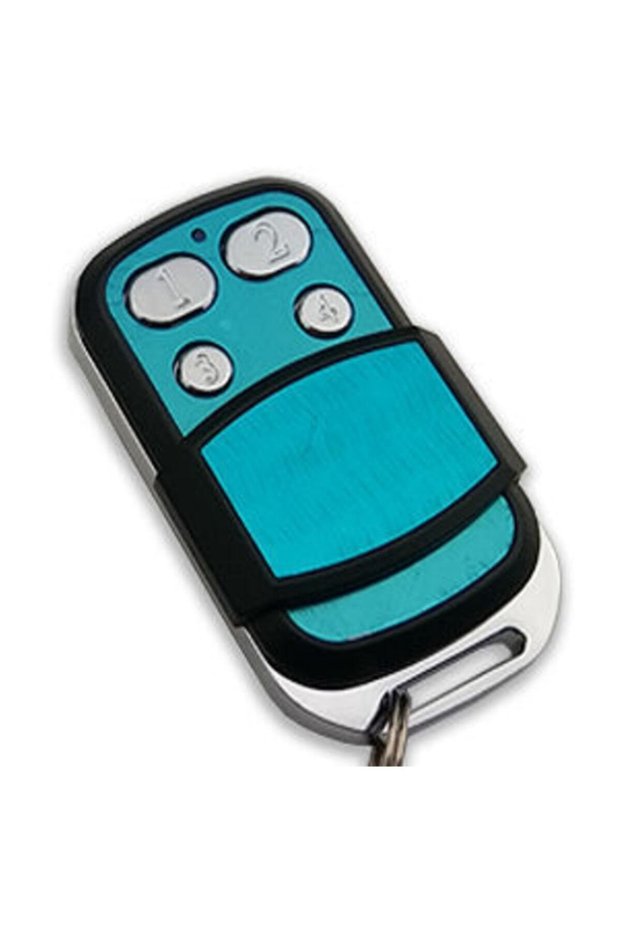
4-button smart, learnable, Copyable Garage, shutter, barrier and car park controller
Please read all description below before buy the item!!!
Brands that cannot be copied for sure: elero / nice / rolan / bft
If your original remote control is one of these 3 brands, our product will definitely not be able to copy your original remote control...
Simple copy operation:
The most important trick here is to keep holding the button on the wicom remote that we want to copy from the beginning until the end of the copying process.
There are 2 methods as copy method.
First, try method 1 (you can watch the video of method 1 above). if method 1 fails, try method 2.
1st method:
Step 1: place the new remote control on top and the old remote control on the bottom, so that both remotes are... Back to back Give
Step 2: press and hold button a on the new remote control (the red light will remain on continuously). press button b three times in quick succession. as you begin pressing, the light will completely turn off. at the end of the 5th press, the light will flash as a signal and then completely turn off.
New remote controlWe still not stop pressing the a key
Step 3: while continuing to hold the "a" button, simultaneously press and hold the button on your old remote that you frequently use. the light will illuminate again. continue holding both buttons for a few more seconds (2-3 seconds) until the light flashes three times, signaling completion.
After receiving the signal, we completely remove our fingers from the keys we were holding down, and the process is complete. this way, we have identified the button of your old remote that you used before to the 'a' key of the new remote.
Now you can easily open and close the door/barrier with the a button on your new remote control.
Note: if you want to assign a function to the "b" button on your new remote control, as well as another button, you'll repeat the same process, this time holding the "b" button down continuously from start to finish.
We press and hold b, press and release a three times, then with the second button of the old remote, we press and hold b to define the second button this time.















 Pro7 Zinc - 70mm - Euro Cylinder Door Lock with 3 Keys for Wooden & Aluminum Doors Gold